Your GPTs hold your best work. Keep every word of it.
OpenAI is retiring custom GPTs. Save the instructions, conversation starters, and knowledge files behind every GPT you built, in about a minute, before the switch happens.
- Your files stay on your computer
- Nothing in ChatGPT is changed
- Set up in about two minutes
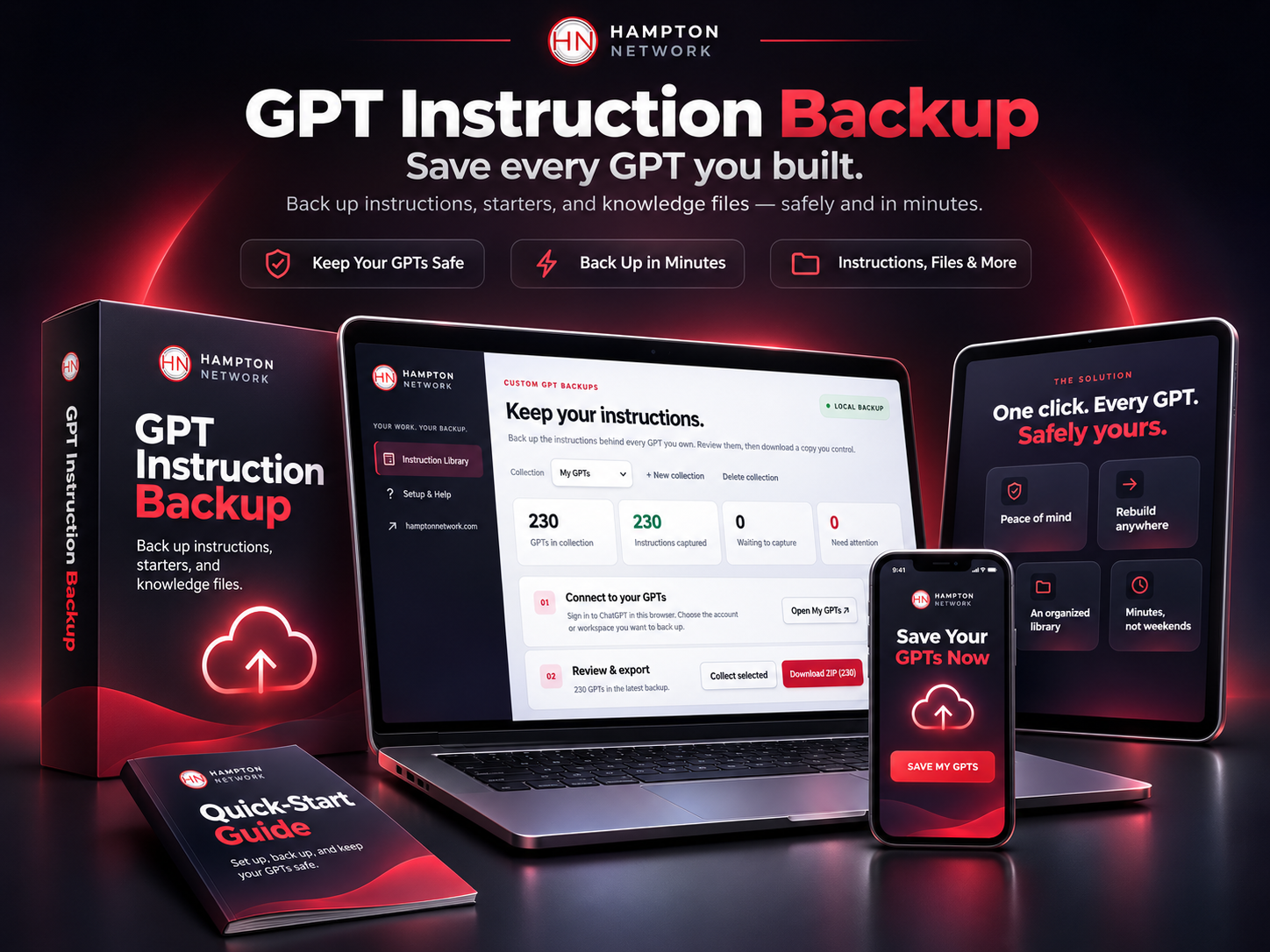
Your GPT library, saved and ready to download. Shown with sample GPT names.
The clock is running. OpenAI has set December 11, 2026 as the day Enterprise custom GPTs stop running, and has told Free, Plus, and Pro users their plans may follow the same timeline. Save your work while every GPT is still there to save.
What happens to all the GPTs you worked so hard on?
Every GPT you built carries hours of thinking. The prompts you refined, the files you gathered, the examples you tested until they worked. Right now that work lives in one place you do not control.
They stop running
OpenAI is moving custom GPTs over to plugins. Once a GPT retires it stops running, and OpenAI has not promised you can still open it and copy what is inside.
Not everything moves over
OpenAI says custom actions do not transfer, and conversation starters and past chats may not copy. The model you picked stays behind too.
Copying by hand takes hours
At about three minutes per GPT, a library of 200 means ten hours of opening, scrolling, copying, and pasting. Then the knowledge files on top of that.
One click. Every GPT. Safely yours.
You walk away with a folder on your computer holding every GPT you ever built, each one complete and clearly named, ready for whatever comes next.
Peace of mind
Every instruction you wrote, saved word for word on your own computer. Whatever happens next in ChatGPT, your work is safe.
Rebuild anywhere
Paste your instructions into a ChatGPT plugin, a Claude Project, Gemini, or your own app. Your best prompts go wherever you go.
Your knowledge files back
The PDFs, Word docs, spreadsheets, and notes you uploaded come home too, sorted into a folder for each GPT.
An organized library
One folder per GPT, named after the GPT, plus a single document with everything in it. Easy to search, easy to share with your team.
Minutes, not weekends
A library of hundreds of GPTs saves in about a minute. Your weekend stays yours.
Nothing gets touched
It only reads. It never edits, migrates, publishes, or deletes a GPT, so your live GPTs keep working exactly as they do today.
Tested on a real library of 230 GPTs
Before offering this to anyone else, I ran it on my own ChatGPT account. Here is what came back.
230
GPTs saved
19s
to read them all
169
knowledge files found
841K
characters kept word for word
Results from Perry Hampton's own ChatGPT account, November 2026. Your time depends on the size of your library and your connection.
Three steps to a safe copy
No coding. No API keys. No copy and paste marathons.
Sign in to ChatGPT
Open ChatGPT in Google Chrome like you always do. Pick the account or workspace you want to save.
Click Back up all
Every GPT you own is read straight from ChatGPT and saved on your computer, complete with its instructions and starters.
Download your ZIP
Get one tidy file with a folder for each GPT, its knowledge files, and a full backup you can reload any time.
Everything that made your GPTs yours
- Every saved instruction, word for word, including spacing and emojis
- Names, descriptions, and conversation starters
- Knowledge files such as PDFs, Word docs, spreadsheets, and text files
- Capabilities, model, sharing setting, and dates for each GPT
- One combined document with every GPT, ready to search
- A backup file you can load again whenever you need it
Builders who rely on their GPTs
- Creators with a library of GPTs they use every day
- Coaches and consultants who built GPTs for clients
- Small business owners with GPTs running their marketing, sales, or support
- Anyone moving their work to ChatGPT plugins, Claude, Gemini, or another AI

I built this to protect my own GPTs first
I am the founder of The Hampton Network, and I have built 230 custom GPTs for my business and my clients. When OpenAI announced the retirement, I wanted a fast, reliable way to keep every one of them. So I built one, tested it on my own library, and now it is yours too.
I bring more than 40 years in finance and technology and 21 years as a U.S. Marine. My mission is simple. Help you use AI to work smarter, get more done, and keep what you build.
Protect your GPT library before the deadline
GPT Instruction Backup
One-time payment
- Back up every GPT you own in about a minute
- Instructions, starters, and knowledge files included
- Clean folders named after each GPT
- Works with personal and team workspaces
- Step-by-step install guide
Secure checkout. Your GPT files never leave your computer.
Answers before you buy
Not at all. You add it to Google Chrome with a short step-by-step guide, which takes about two minutes. After that it is one button.
No. It only reads your GPTs. It never edits, migrates, publishes, or deletes anything, so your GPTs keep working exactly as they do now.
Your backup is saved on your own computer and downloaded as a ZIP file. Nothing is sent to The Hampton Network or anyone else. It reads your GPTs through your own signed-in ChatGPT tab, the same way ChatGPT's own My GPTs page loads them.
Yes. The PDFs, documents, spreadsheets, and text files you uploaded to each GPT are downloaded into that GPT's folder in the ZIP. If ChatGPT ever refuses a file, the rest still download and the report lists that file.
Yes. Switch to that workspace in ChatGPT and click Back up all again. Each workspace gets its own collection.
Your backup gives you everything you need to rebuild. Paste the instructions into a new plugin, a Claude Project, Gemini, or any other AI tool, and upload the knowledge files alongside.
It saves the GPTs you own. ChatGPT only shares a GPT's instructions and files with the person who built it.
You get the extension as a ZIP file plus an illustrated install guide that walks you through every click, for Windows and Mac. See the install guide.
Your GPTs took real work. Keep it safe today.
One minute from now, every GPT you built could be sitting safely on your computer, ready for whatever comes next.
To your success!